How to Turn on Hamilton Beach Toaster Oven
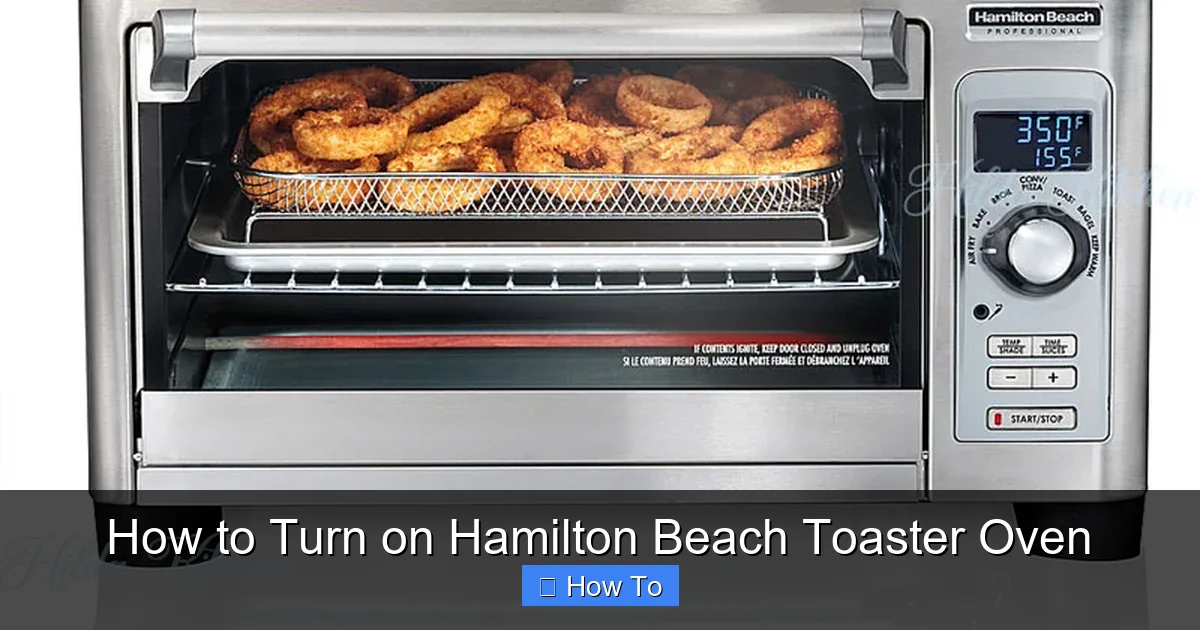
Turning on your Hamilton Beach toaster oven is simple. You just need to find the power button. Then set your time and heat. Follow this guide for every model.
Buying a new toaster oven can be fun. But starting it can feel hard. You might look at the dials. You might look at the buttons. You do not know which one works. This is very common.
Many people ask how to turn on Hamilton Beach toaster oven. They want to make a quick meal. They want to toast some bread. They do not want to wait for the big oven. Good news. It is easy.
You just need a few steps. This guide shows you the way. We will cover all the main models. We will also share tips. Let us get started today.
Key Takeaways
- Find the power button: It is usually on the front panel.
- Check the plug: Make sure it is in the wall outlet.
- Set the function: Choose toast, bake, or broil.
- Adjust the heat: Turn the dial or press the number.
- Set the timer: Pick how long you want to cook.
- Watch the light: It shows when the oven is on.
- Unlock the controls: Some models have a safety lock.
📑 Table of Contents
Before You Start
Do not rush. Take a moment first. Check a few things. This helps you avoid problems. It also helps you know how to turn on Hamilton Beach toaster oven. A little check saves time later.
Check the Power Cord
Look at the plug. Is it in the wall? A loose plug stops the oven. Push it in tight. Check the cord for cuts. A bad cord is unsafe. Fix it before you try.
Make sure the cord is not pinched. Do not run it under rugs. This can cause heat. Keep the cord short if you can. This keeps your kitchen safe. Check the outlet too.
Clear the Space
The oven needs room. Keep things away from it. Do not stack papers on top. Read our guide on what to put on top of toaster oven if you are unsure.
Vents need air to flow. Blocked vents cause bad heat. Keep a foot of space behind it. This helps the oven last. It also helps you cook better.
Read the Manual
Your manual is very useful. It shows your exact model. It tells you the steps. Keep it near the oven. You can look at it anytime. It helps you learn how to turn on Hamilton Beach toaster oven.
The Basic Steps
Now you are ready. Follow these steps. They work for most models. This is the core of how to turn on Hamilton Beach toaster oven. Take your time with each one.
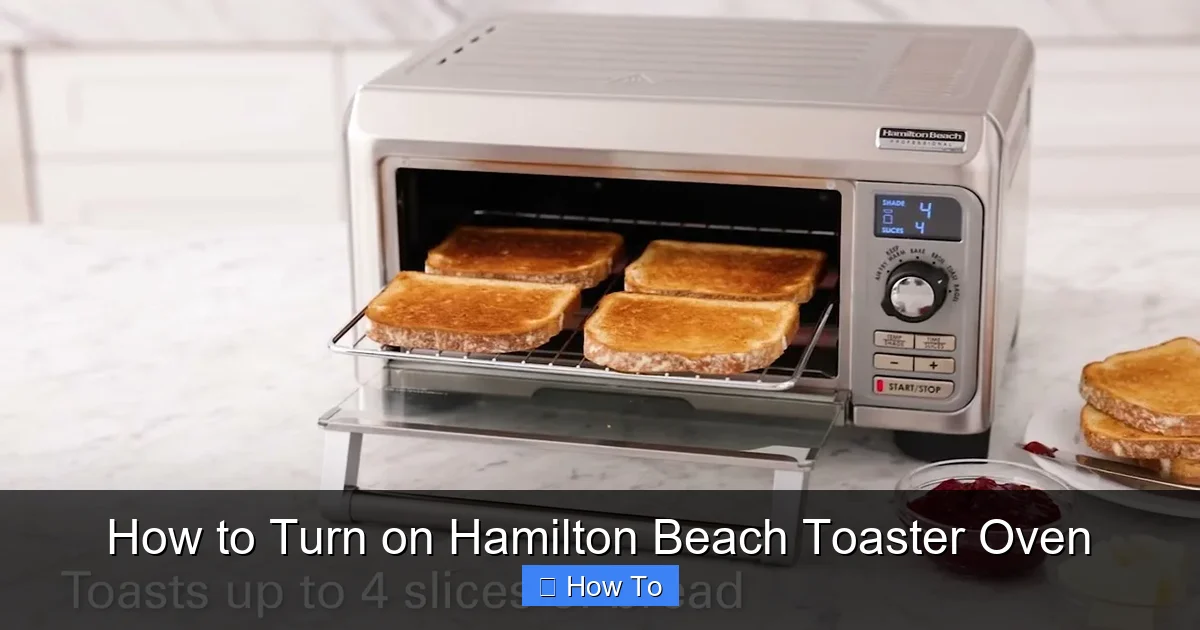
Visual guide about How to Turn on Hamilton Beach Toaster Oven
Image source: i.ytimg.com
Press the Power Button
Find the power button. It might say Power. It might have a circle line. Press it once. You should hear a beep.
A light should turn on. This means the oven has power. If nothing happens, check the plug. Press the button again. Some buttons need a hold.
Set Your Function
Choose what you want. Look for the mode dial. Turn it to Toast. Turn it to Bake. Turn it to Broil. Pick the right one for your food.
The light changes with the mode. This shows your choice. Digital screens show the word. Read the word on the screen. Make sure it matches your food.
Adjust Temperature
Set the heat level. Use the numbers. 350 is good for baking. 400 is good for roasting. Turn the dial slowly. Listen for the click.
Higher heat cooks faster. Lower heat cooks gently. Pick the heat for your dish. Do not guess the temperature. Use the recipe or your taste.
Set the Timer
Set the time. Use the timer dial. Turn it to your minutes. You might hear a tick. The oven starts when you set it.
Some models need a start button. Press Start after setting time. This locks in your settings. It keeps the oven running. Watch the clock count down.
Common Models Explained
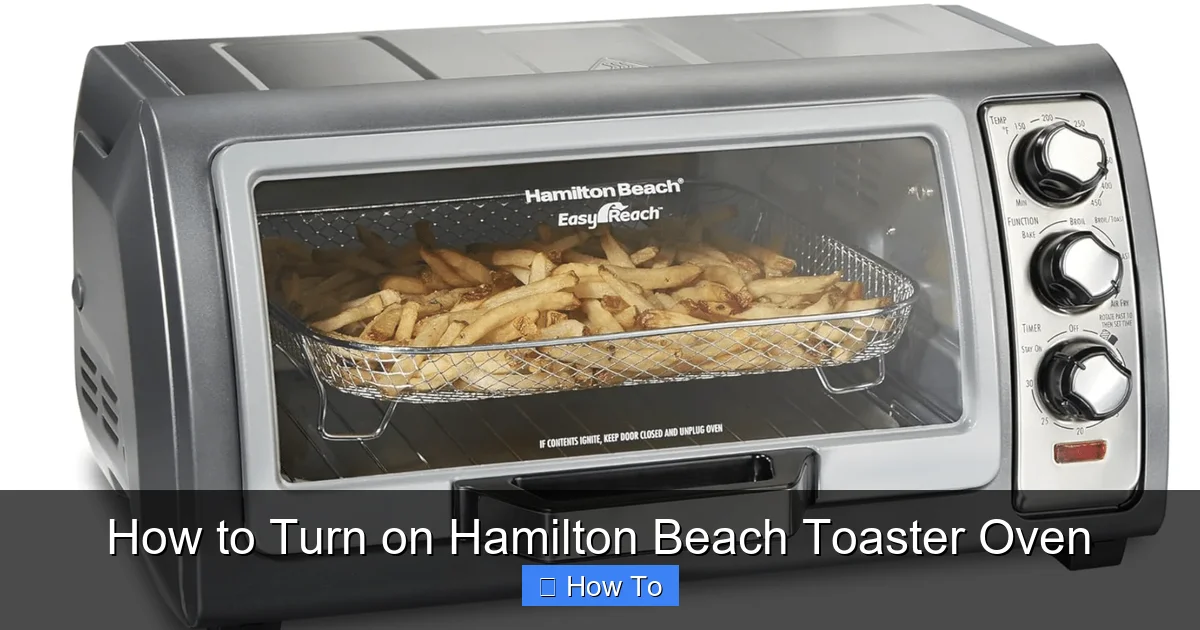
Hamilton Beach makes many ovens. They look different. But the steps are similar. Knowing your model helps. It helps you learn how to turn on Hamilton Beach toaster oven. Here are the main types.
Visual guide about How to Turn on Hamilton Beach Toaster Oven
Image source: prettyorganicgirl.com
Dial Models
These have round knobs. You turn them by hand. They are very easy. You do not need a screen. Just turn the knobs to your needs.
One knob sets the mode. One knob sets the heat. One knob sets the time. They are great for seniors. They do not have complex tech. Turn them gently.
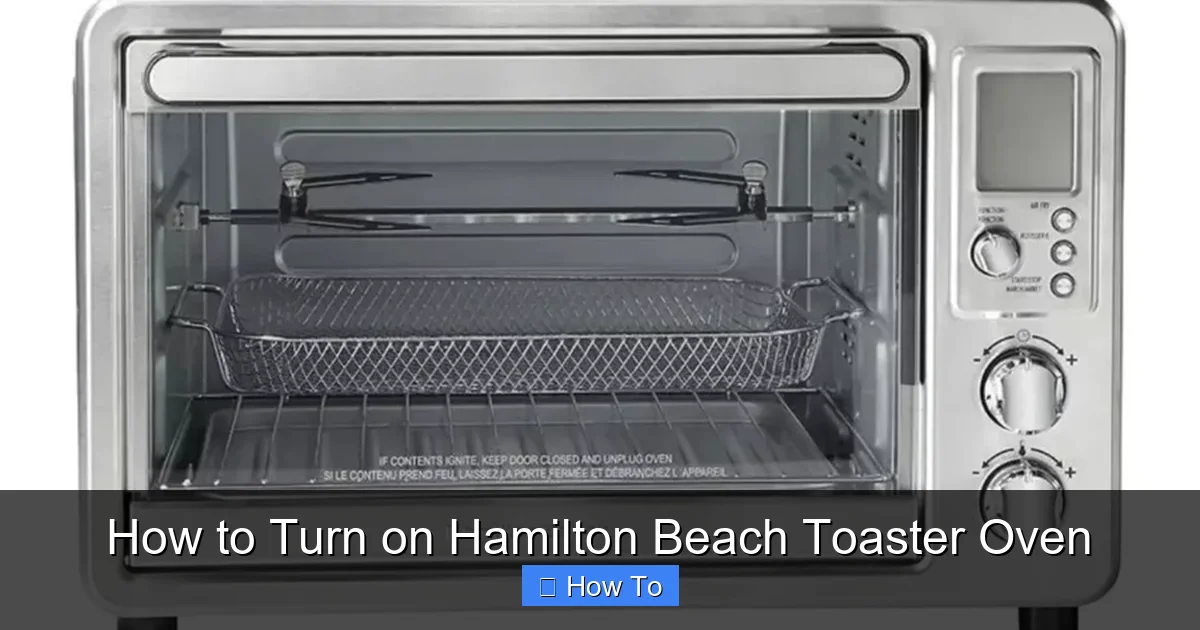
Digital Models
These have buttons and screens. They show numbers. You press the number. You press the touch pad. They are very smart. They beep to tell you.
You can set exact times. You can set exact heat. They remember your settings. They often have a delay start. Check the screen for errors. Read the codes in the manual.
Using Different Functions
Turning it on is step one. Using it right is step two. You have many choices. Each choice cooks food differently. Here are the most common ones.
Visual guide about How to Turn on Hamilton Beach Toaster Oven
Image source: static-data2.manualslib.com
The Toast Setting
Use this for bread. It uses high heat. It browns the surface. It does not cook the inside. Put bread in the rack. Set the shade you want.
Dark bread needs less time. Light bread needs more time. Watch the first batch. It teaches you the right time. Pull the lever down gently.
The Broil Setting
Use this for meat. It uses top heat. It makes food crispy. Watch it closely. Food burns fast here. Learn how to broil in toaster oven for safety.
Put the food high up. Use a pan with edges. Grease the pan first. Turn the food halfway. This makes it cook even. Do not walk away.
The Bake Setting
Use this for cakes. It uses steady heat. It cooks the whole thing. Use a pan for this. It works like a real oven.
Preheat the oven first. This helps the cake rise. Use the right pan size. Do not open the door. Let it finish baking. Check with a toothpick.
New Oven Care
Is your oven brand new? It needs a first use. This burns off factory dust. It smells at first. This is normal. Read how to break in a new toaster oven for more.
Run It Empty
Heat it up first. Set it to 400. Let it run for 10 minutes. Open a window. The smell will go away. Your oven is ready to cook.
This removes the dust. It also tests the oven. Make sure it heats up. If it does not, call support. This step protects your food.
Troubleshooting
Sometimes things go wrong. The oven might not start. Do not panic. Check these common issues. They help you fix how to turn on Hamilton Beach toaster oven.
The Light Is Not On
Check the power first. Is the plug in? Is the switch on? Try another outlet. If still no light, call help.
Check the fuse box. A blown fuse stops power. Reset it if needed. Check the cord for damage. This is a common fix.
It Is Not Heating
Check the timer. Is it set? Check the function. Is it on Bake? Make sure the door is shut. The oven stops if the door opens.
Check the heating elements. They glow red when hot. If they do not glow, they are bad. Call a repair person. Do not touch them when hot.
It Beeps But Does Not Start
Some models need Start. Press the button again. Check the lock. Some have a child lock. Unlock it to work.
Check the door latch. It must click shut. Try opening and closing it. Press Start firmly. Wait for the beep to stop.
Keeping It Clean
Clean food stays off. This keeps the oven safe. It also helps it last. A dirty oven might not work right. Learn how to clean a toaster oven often.
Wipe the Inside
Use a soft cloth. Do not use steel wool. It scratches the metal. Wipe the walls inside. Wipe the door too.
Clean spills right away. Burnt food is hard to remove. Use warm soapy water. Dry the inside well. This stops smoke later.
Wash the Tray
Take out the tray. Wash it with soap. Dry it well. Put it back in. This stops smoke later.
The tray catches grease. Grease causes bad smells. Wash it every week. It makes the food taste better. It keeps the oven running well.
Conclusion
Now you know the way. You can cook your meals. You do not need help. Follow the steps above. Enjoy your new appliance.
Remember safety first. Keep it clean. Set the right time. You will make great food. Now go make some toast.
Turning it on is just the start. Use it often. It will become your friend. Share your cooking tips with others. Happy cooking to you.
Frequently Asked Questions
How do I know if my Hamilton Beach toaster oven is on?
You will see a light turn on. You may also hear a beep. The display will show numbers if it is digital.
Why is my Hamilton Beach toaster oven not turning on?
Check the power plug first. Make sure it is in the wall. Try a different outlet if it still fails.
Do I need to press start on Hamilton Beach models?
Some models start right away. Digital models often need a start button. Check your manual to be sure.
How long does it take to preheat?
It usually takes 5 minutes. The light may change color when done. Wait for the signal before cooking.
Can I use the toaster oven without the tray?
No, you should always use the tray. It catches falling food and grease. Cooking without it can cause smoke.
How do I reset my Hamilton Beach toaster oven?
Unplug the oven for 10 minutes. Plug it back in. This resets the electronics. It often fixes small errors.