How to Use a Cuisinart Toaster Oven
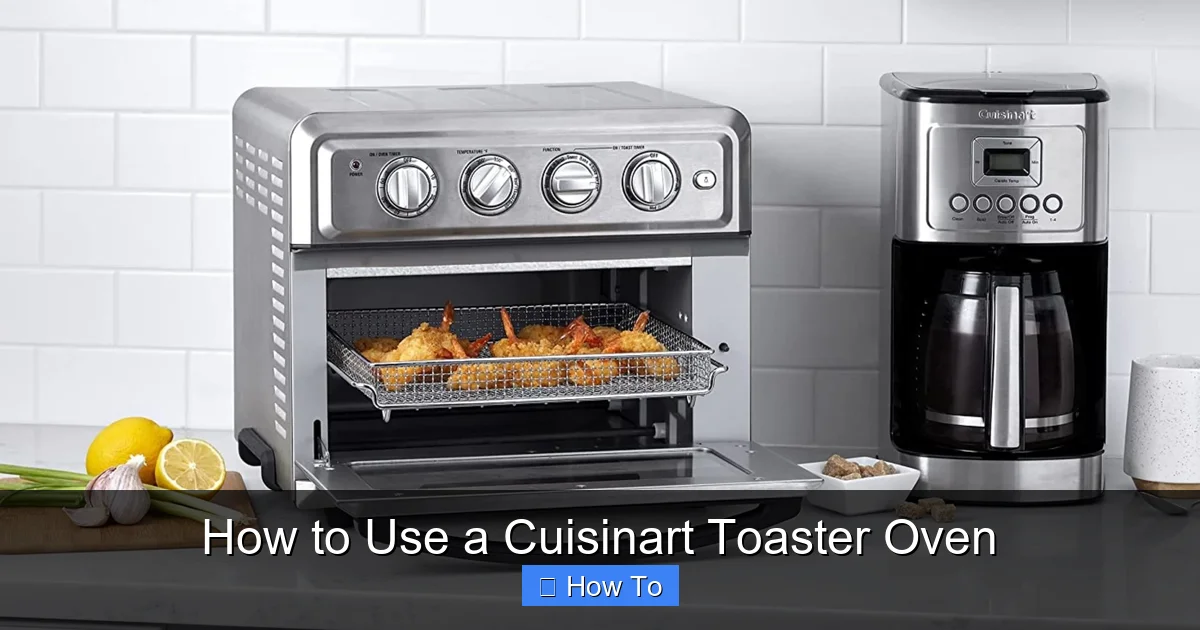
Mastering your Cuisinart toaster oven is easy with a few simple steps. Start by preheating to the right temperature, then use the intuitive controls to select your cooking mode—bake, toast, or broil—and adjust the time for perfect results every time. Enjoy versatile, restaurant‑quality meals at home with minimal effort.
Imagine you want a quick snack, but you also want to bake a small pizza. A Cuisinart toaster oven can do both. This compact appliance fits on your counter and offers many functions.
In this guide we will show you how to set up your Cuisinart toaster oven, how to use its basic features, and how to get the most out of its advanced options. You will find practical tips and easy recipes along the way.
Whether you are a busy professional or a home cook, the Cuisinart toaster oven saves time and energy. Its versatile cooking modes let you prepare meals without heating a full‑size oven.
Key Takeaways
- Point 1: Preheat the oven to the desired temperature before placing food inside for even cooking.
- Point 2: Use the bake, broil, toast, and convection settings according to your recipe needs.
- Point 3: Position the rack in the middle slot for most foods; adjust higher for broiling, lower for roasting.
- Point 4: Keep the interior clean by wiping spills after each use and removing crumbs from the tray.
- Point 5: Avoid overcrowding the tray to allow proper air circulation and prevent uneven browning.
- Point 6: Set a timer and monitor food, especially when broiling, to prevent burning.
📑 Table of Contents
Understanding Your Cuisinart Toaster Oven
Key Features
Your Cuisinart toaster oven comes with several built‑in functions. The most common are toast, bake, broil, and air fry. It also has a convection mode that circulates hot air for even cooking. The temperature can be set from warm up to 450 degrees Fahrenheit. A digital timer lets you cook for a precise amount of time.
- Toast – brown bread, bagels, and English muffins.
- Bake – cookies, cakes, and casseroles.
- Broil – melt cheese on top of dishes.
- Air fry – make crispy fries without oil.
- Convection – speeds up baking by moving air.
Safety Features
The Cuisinart toaster oven includes a cool‑touch exterior. This prevents burns when you open the door. It also has an automatic shut‑off feature. If you forget to turn it off, the oven stops after a set period.
Energy Efficiency
Because the Cuisinart toaster oven heats a smaller space, it uses less electricity than a standard oven. This can lower your monthly bill. The efficient heating also means food cooks faster.
Model Differences
There are several models of Cuisinart toaster oven. The main difference is the size and the number of interior racks. Some models include a dedicated air fry basket. Others have a larger window for viewing food. Choose the model that fits your kitchen space and cooking needs.
Interior Dimensions
The interior of the Cuisinart toaster oven is designed to fit a 12‑inch pizza. The width is about 18 inches, and the height is roughly 12 inches. These dimensions allow you to cook multiple items at once. The rack can be adjusted to two different positions, giving you flexibility for different foods.
Temperature Range
The Cuisinart toaster oven can reach temperatures from 150°F to 450°F. This range covers warm, bake, broil, and air fry needs. The oven maintains the set temperature with a built‑in thermostat, ensuring consistent results.
Recipe Ideas
The Cuisinart toaster oven is perfect for quick meals. Try a breakfast sandwich with toasted English muffin, cheese, and ham. For lunch, melt a personal pizza in ten minutes. In the evening, bake a salmon fillet with lemon and herbs. The possibilities are endless.
Warranty Information
Most Cuisinart toaster oven models come with a one‑year limited warranty. Register your product on the manufacturer’s website to receive updates and support. Keep your receipt in case you need to make a claim.
Setting Up and Basic Operations
Unboxing and Placement
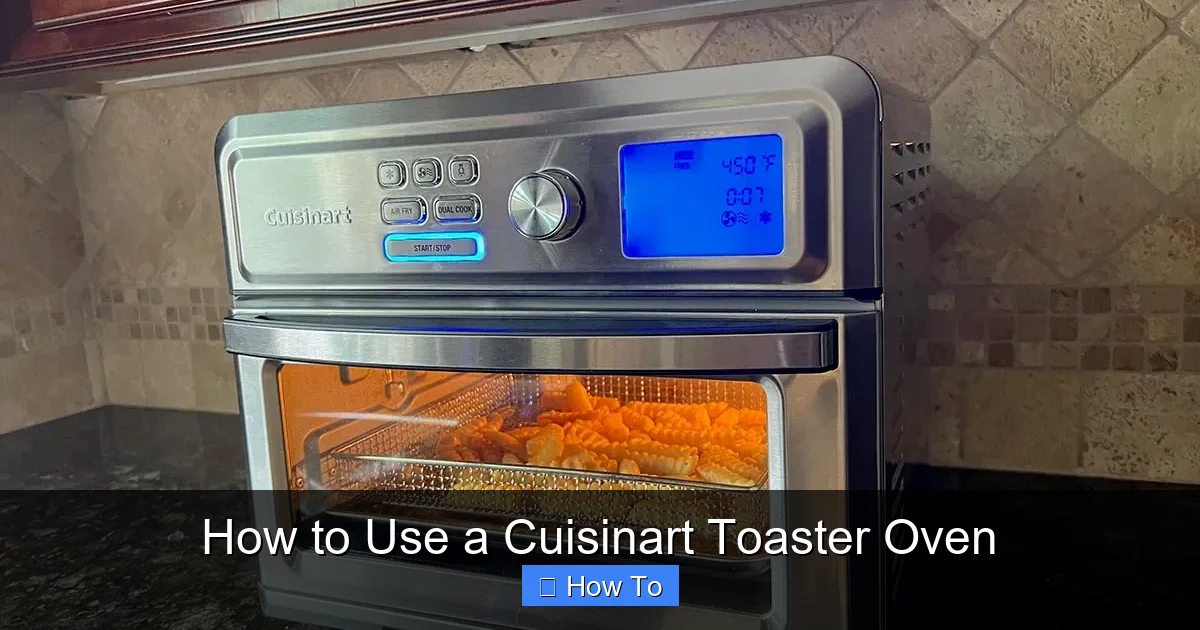
When you open the box, you will find the oven, a crumb tray, a baking pan, and an air fry basket. Place the Cuisinart toaster oven on a flat, heat‑resistant surface. Keep at least two inches of space around the unit for proper ventilation.
Visual guide about How to Use a Cuisinart Toaster Oven
Image source: bobvila.com
Powering On and Initial Settings
Plug the appliance into a grounded outlet. Press the power button. The display will show “00:00”. Use the plus and minus keys to set the correct time. If your model has a clock, you can also set the time of day. This step helps the oven keep accurate cooking times.
Using the Timer
The timer function lets you set a cooking duration. Press the timer button. Use the arrows to choose minutes and seconds. The Cuisinart toaster oven will beep when the time ends. This is useful for foods that need precise timing.
Firmware Updates
Some newer Cuisinart toaster oven models support firmware updates. Check the manufacturer’s website for instructions. Updating the software can improve performance and add features.
Setting the Clock
To set the clock on your Cuisinart toaster oven, press the clock button. Use the plus and minus keys to adjust the hours and minutes. Press the clock button again to confirm. A correct clock helps the oven display accurate cooking times and makes it easier to plan meals.
Power Indicator
A small light on the front panel indicates when the Cuisinart toaster oven is receiving power. If the light is off, check the outlet and the power cord. A steady light means the oven is ready for use.
Safety Reminders
Always use oven mitts when handling hot items. Keep the Cuisinart toaster oven away from flammable objects. Never touch the heating elements while the unit is in use. Following these rules protects you and your kitchen.
Cooking Basics: Toast, Bake, Broil
Toasting Bread
To toast bread, first select the toast function. Place the bread on the rack or in the included tray. Use the slider to choose the desired darkness. Light, medium, or dark. Press start. The Cuisinart toaster oven will beep when done.
Visual guide about How to Use a Cuisinart Toaster Oven
Image source: storables.com
Baking Cookies
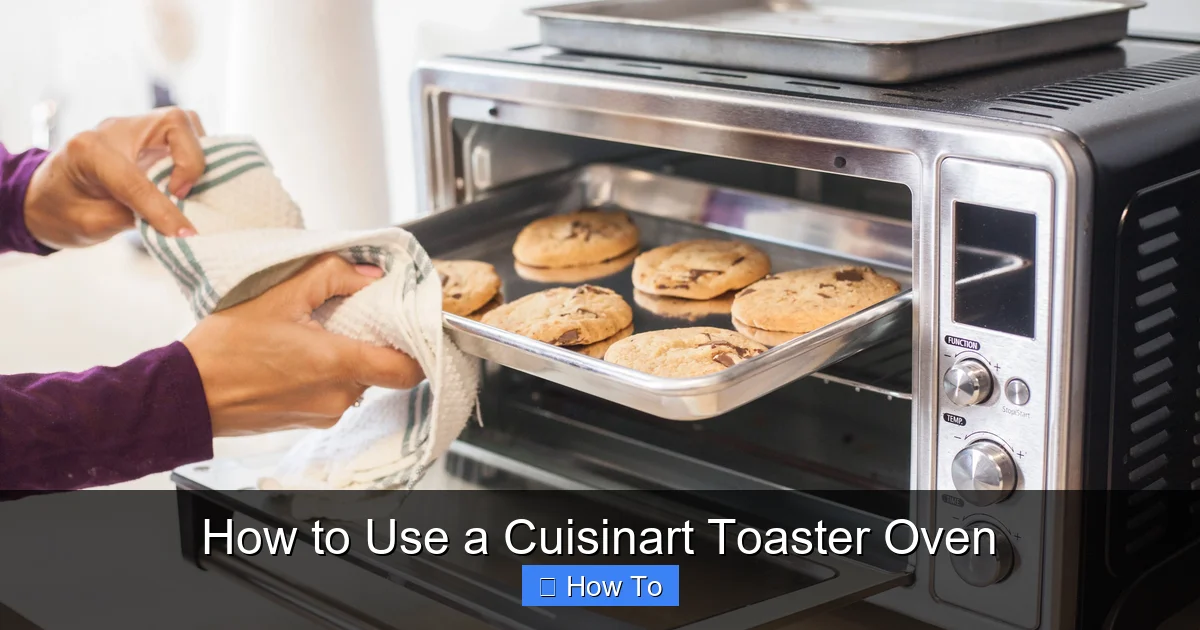
For cookies, preheat the oven to 350°F. Select the bake function. Place a sheet of parchment paper on the baking pan. Arrange the cookie dough. Bake for 10 to 12 minutes, or until the edges are golden. Let them cool on a rack.
Broiling Meats
To broil a steak, set the oven to broil. Place the meat on the broiler pan. Position the rack about four inches from the heating element. Cook for 3 to 5 minutes per side, depending on thickness. The Cuisinart toaster oven will produce a crisp crust.
Cooking with the Rack
The wire rack allows air to circulate around food. This helps roast vegetables or cook chicken evenly. Place the rack in the middle position for best results. Use oven mitts to remove hot items.
Using the Baking Pan
The included baking pan is ideal for cakes and casseroles. Grease the pan lightly before adding batter. For easy cleanup, line the pan with parchment paper. The Cuisinart toaster oven heats the pan evenly, ensuring a uniform texture.
Broiling Fish
Fish fillets can be broiled in the Cuisinart toaster oven. Season the fish with salt and pepper. Place it on the broiler pan. Broil for 4 to 6 minutes, depending on thickness. The result is a flaky, moist dish.
Roasting Vegetables
Vegetables like carrots, broccoli, and bell peppers roast well in the Cuisinart toaster oven. Toss them with olive oil, salt, and pepper. Spread on the baking sheet. Roast at 400°F for 15 to 20 minutes, stirring halfway through. The result is tender and flavorful.
Keep Warm Function
The keep warm function is useful after cooking. Press the keep warm button. The Cuisinart toaster oven will maintain a low temperature, around 150°F, for up to 30 minutes. This keeps food hot until you are ready to serve.
Cooking Multiple Items
You can cook two different foods at once by using the upper and lower racks. Place items that require similar temperatures on the same rack. For example, toast bread on the top rack while baking cookies on the bottom rack. The Cuisinart toaster oven will heat evenly.
Using the Baking Sheet
The included baking sheet is non‑stick and easy to clean. It is suitable for cookies, pastries, and small casseroles. For best results, preheat the sheet before adding batter. This helps achieve a golden crust.
Cooking Time Table
| Food | Temperature | Time |
|---|---|---|
| Toast | 350°F | 3‑5 min |
| Chicken breast | 375°F | 15‑20 min |
| Pizza | 425°F | 10‑12 min |
| French fries | 400°F | 15‑20 min |
Advanced Features: Air Fry and Convection
Using the Air Fry Function
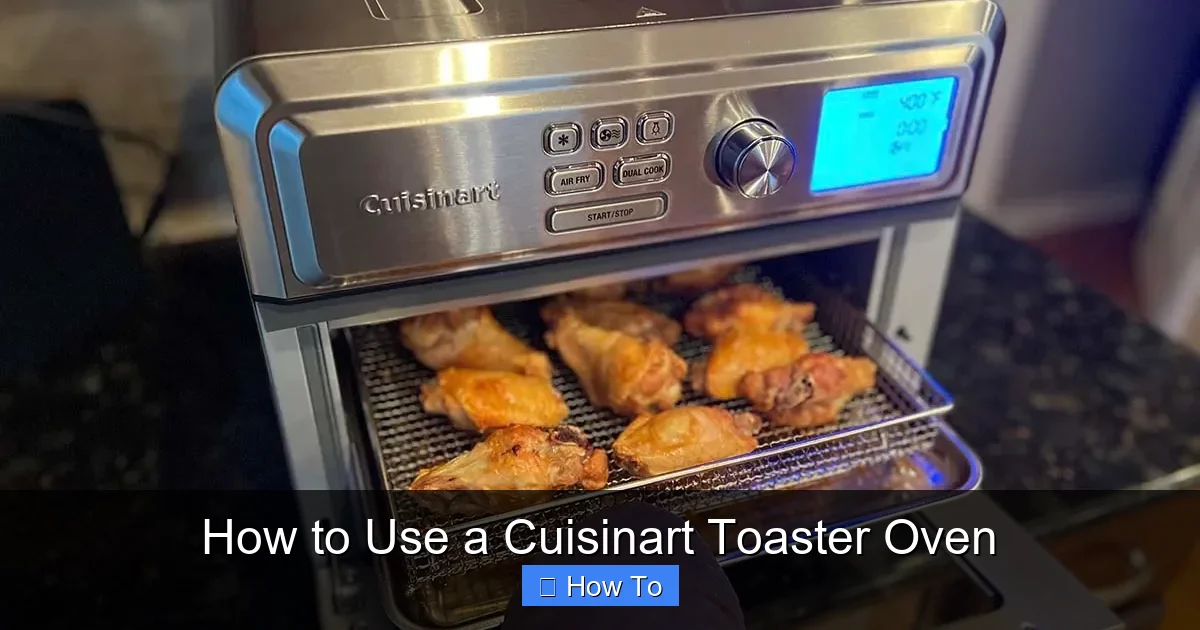
The air fry mode uses a powerful fan to circulate hot air. This creates a crispy texture with little oil. To use it, select the air fry function. Place food in the air fry basket. Set the temperature and time. For example, fries at 400°F for 15 minutes. Shake the basket halfway through for even cooking.
Visual guide about How to Use a Cuisinart Toaster Oven
Image source: bobvila.com
For more details on air frying, see our guide on air fry in a toaster oven.
Air Fry with Frozen Foods
Frozen foods like chicken nuggets or onion rings work well in the Cuisinart toaster oven. Place them in the basket in a single layer. Set the temperature to 380°F and cook for 12 to 15 minutes. No need to thaw, saving time.
Convection Baking
Convection mode moves hot air around the food. This helps bake faster and more evenly. When using convection, you can reduce the recipe temperature by 25°F. For instance, if a cake calls for 350°F, set the Cuisinart toaster oven to 325°F. Bake for the time specified, checking early to avoid over‑baking.
Before using the air fry function, it helps to preheat the unit. Learn more about preheat your Cuisinart air fryer toaster oven.
Bake with Convection
When you select both bake and convection, the Cuisinart toaster oven uses circulating air to speed up cooking. This combination is ideal for cakes and casseroles. Reduce the recipe temperature by 25°F and check for doneness a few minutes earlier.
Air Fry Settings
When using the air fry function, you can adjust the fan speed on some models. A higher speed creates a crispier exterior, while a lower speed is gentler for delicate foods. Experiment to find your preferred setting.
Cleaning the Air Fry Basket
The air fry basket can be cleaned with warm soapy water. Use a soft sponge to remove residue. Rinse and dry thoroughly before storing. A clean basket ensures even airflow and prevents odors.
Dehydrate Mode
Some Cuisinart toaster oven models include a dehydrate setting. This low‑temperature mode removes moisture from fruits, vegetables, or herbs. Arrange the food on the rack. Set the temperature to 135°F and dehydrate for 4 to 8 hours. The result is a healthy snack.
Cleaning and Maintenance
Daily Cleaning
After each use, let the Cuisinart toaster oven cool. Wipe the interior with a soft cloth. Remove crumbs from the crumb tray. A quick wipe prevents buildup and keeps the oven performing well.
Deep Cleaning
Once a month, perform a deep clean. Remove the racks and the crumb tray. Wash them in warm, soapy water. Rinse and dry. Use a non‑abrasive cleaner on the interior walls. Avoid soaking the heating elements.
For step‑by‑step instructions, check out how to clean a Cuisinart toaster oven.
Removing Odors
To eliminate lingering smells, place a small bowl of water with a few slices of lemon inside the Cuisinart toaster oven. Run the oven at 200°F for 10 minutes. The steam will freshen the interior.
Storage Tips
When not in use, store the Cuisinart toaster oven in a dry place. Cover it with a cloth to protect it from dust. Keep the power cord loosely coiled to avoid damage.
Troubleshooting Common Issues
If the oven does not heat, verify that it is plugged in. Check the circuit breaker. If the timer does not start, ensure the door is closed firmly. For uneven browning, rotate the food halfway through cooking.
Wiping the Exterior
To clean the outside of the Cuisinart toaster oven, use a damp cloth with mild soap. Avoid spraying cleaner directly onto the unit. Wipe the control panel gently to prevent damage to the buttons.
Maintenance Schedule
Create a simple schedule to keep your Cuisinart toaster oven in top shape. Wipe the interior after each use. Deep clean once a month. Inspect the heating elements every three months. Replace worn parts as needed. Following this routine extends the appliance’s life.
Common Mistakes to Avoid
One common mistake is overcrowding the oven. Leave space around each item for air to flow. Another error is opening the door frequently, which releases heat and extends cooking time. Avoid using metal utensils that can scratch the non‑stick coating.
Customer Support
If you have questions, visit the Cuisinart website for FAQs and video tutorials. You can also call their support line for personalized assistance. Having your model number ready will speed up the process.
Energy Saving Tips
To save energy, use the Cuisinart toaster oven for small batches instead of a full oven. Preheat only when necessary, as some recipes can start in a cold oven. Using the convection mode can also reduce cooking time, further saving electricity.
With these steps, you can confidently use your Cuisinart toaster oven for everyday meals and special treats. Remember to clean the unit regularly and follow the safety tips. Enjoy the convenience and versatility that this appliance brings to your kitchen.
Frequently Asked Questions
How do I turn on my Cuisinart Toaster Oven?
Press the power button on the control panel to turn the unit on. The oven will begin heating to the selected temperature.
What temperature should I set for baking in my Cuisinart Toaster Oven?
For most baked goods, set the temperature between 300°F and 400°F. Preheat the oven for about five minutes before placing the food inside.
How do I clean the interior of my Cuisinart Toaster Oven?
Unplug the oven and let it cool completely, then wipe the interior with a damp cloth. Avoid using abrasive cleaners or steel wool.
Can I use aluminum foil inside the Cuisinart Toaster Oven?
Aluminum foil can be used to line the baking pan, but it should not touch the heating elements. Make sure the foil is shaped to fit without blocking airflow.
How do I adjust the timer and use the delay start feature?
Turn the timer knob to set the desired cooking time, or press the delay start button to schedule a later cycle. The oven will count down and then begin cooking.
How do I use the convection setting on my Cuisinart Toaster Oven?
Press the convection button to activate the fan, which circulates hot air for faster, more even cooking. Use this setting for items like cookies or roasted vegetables.