How to Turn Off Ninja Toaster Oven
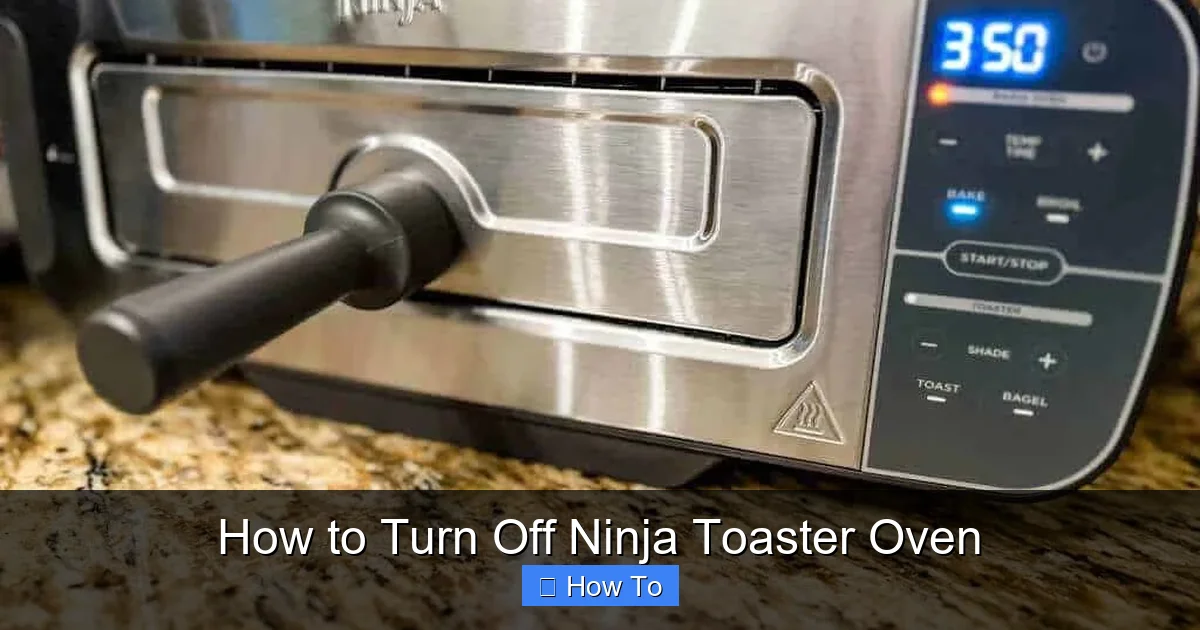
Turning off your Ninja Toaster Oven is quick and easy when you know the right steps. This guide walks you through the simple power-off process, essential safety tips, and maintenance habits to keep your appliance in top shape.
So you’ve just finished making a delicious batch of toast or roasting some veggies in your Ninja Toaster Oven, and now you’re staring at the control panel wondering how to turn it off. Maybe the buttons light up, maybe they don’t, and you want to make sure you’re doing it right. Don’t worry—you’re not alone! Many Ninja Toaster Oven owners find themselves puzzled by the power controls, especially with so many preset functions and settings. In this article, we’ll walk you through the exact steps to power down your device safely, share practical tips for different models, and help you avoid common mistakes. By the end, you’ll feel confident hitting that off switch every time you cook. Understanding the proper shutdown procedure isn’t just about convenience; it’s a key part of kitchen safety that protects you, your family, and your investment.
Perhaps you’ve experienced the frustration of walking away from the kitchen only to realize the oven is still glowing, or maybe you’re simply trying to save energy and reduce your electricity bill. Whatever the reason, learning the proper way to shut down your appliance is a small skill that makes a big difference. Not only does it extend the life of your Ninja Toaster Oven, but it also ensures your kitchen stays safe and clean. We’ll cover everything from the basic power-off steps to model-specific nuances, so you can operate your device with confidence and peace of mind. A little mindfulness now prevents bigger problems later, and that’s exactly what we’re here to teach you.
Key Takeaways
- Point 1: Always press and hold the power button for 2–3 seconds to ensure a complete shutdown, rather than a single quick press.
- Point 2: Wait 10–15 minutes before cleaning the oven to avoid burns from residual heat on the exterior and door.
- Point 3: Unplug the unit if you’re cleaning deeply or going on vacation, as this cuts all power draw and protects against electrical surges.
- Point 4: Double-check that the timer displays “0:00” or “off” before considering the oven fully powered down.
- Point 5: Use a gentle finger tap on buttons; pressing too hard can damage the tactile mechanism over time.
- Point 6: Wipe the crumb tray after each use and deep-clean the interior weekly to prevent grease buildup and smoke.
- Point 7: Inspect heating elements and vent openings every few months to maintain airflow and cooking efficiency.
Understanding Your Ninja Toaster Oven’s Power Controls
Before you can turn off any appliance, it helps to know what you’re working with. Ninja Toaster Ovens come in a wide range of styles, from basic dial-driven units that your grandparents might remember to sleek, digital models with touchscreens and Wi‑Fi connectivity. The power button location, labeling, and behavior can differ dramatically depending on which generation you own. In this section, we’ll break down the most common control layouts so you can spot the off switch quickly, even in a hurry. We’ll also discuss how different features, like the air fryer setting, interact with the power system, giving you a full picture of your appliance’s capabilities.
Control Panel Layout Explained
Most Ninja Toaster Ovens place the power function either as a dedicated physical button, a rotary dial, or a touch-sensitive icon on a digital display. On older or simpler models, you’ll often find a single power button positioned at the top center or left side of the panel. Pressing this once toggles the device on and off. On newer digital models, the power icon might be integrated into a multi‑function cluster, meaning you may need to press and hold the icon for a few seconds to achieve a full shutdown. If you’re looking to maximize your oven’s functions, how to use the air fryer setting on oven 2 offers additional cooking modes beyond basic toasting. Understanding which type you have saves time and prevents accidental setting changes, especially when you’re in a rush to get dinner on the table.
Digital vs Manual Models: What’s the Difference?
Manual dial models typically rely on a physical knob that you turn to select temperature and function. To turn these off, you simply rotate the dial back to the “off” position, usually marked with a circle or the word “off.” The mechanical nature of these models means there’s little ambiguity—the dial position clearly indicates the status. Digital models, by contrast, use button combinations and on-screen prompts. Some digital Ninja Toaster Ovens remember your last settings, so simply pressing the power button might return the device to
Frequently Asked Questions
What is How To Turn Off Ninja Toaster Oven?
How To Turn Off Ninja Toaster Oven is an important topic with many practical applications.