How to Turn Off Cuisinart Toaster Oven

Turning off your Cuisinart toaster oven is simple once you know the controls. Most models feature a power button or dial that you can press or turn to shut off the unit instantly. If the oven doesn’t respond, unplugging it or checking the timer settings usually resolves the issue.
If you’ve ever finished baking a batch of cookies or reheating a slice of pizza and wondered how to turn off Cuisinart toaster oven without fumbling, you’re not alone. Many users find the control layout a bit confusing at first, especially when juggling multiple functions like bake, broil, toast, and air fry. The good news is that turning off the appliance is straightforward once you know where to look.
This guide walks you through every method to power down your Cuisinart toaster oven, explains why the unit might seem stuck on, and offers maintenance tips to keep the controls working smoothly. Whether you own a basic model or a deluxe air‑fryer combo, the steps below will help you shut it off safely and efficiently.
Key Takeaways
- Locate the power control: Find the dedicated power button, dial, or touchpad on your Cuisinart toaster oven.
- Press or turn to shut off: A single press or turn usually cuts power immediately.
- Use the timer as a backup: Setting the timer to zero will also stop heating.
- Unplug if needed: If the oven won’t turn off, disconnect it from the outlet for safety.
- Keep it clean: Regular cleaning prevents button sticking and ensures reliable operation.
- Know when to call for help: Persistent issues may require professional service or a replacement unit.
📑 Table of Contents
Understanding Your Cuisinart Toaster Oven Controls
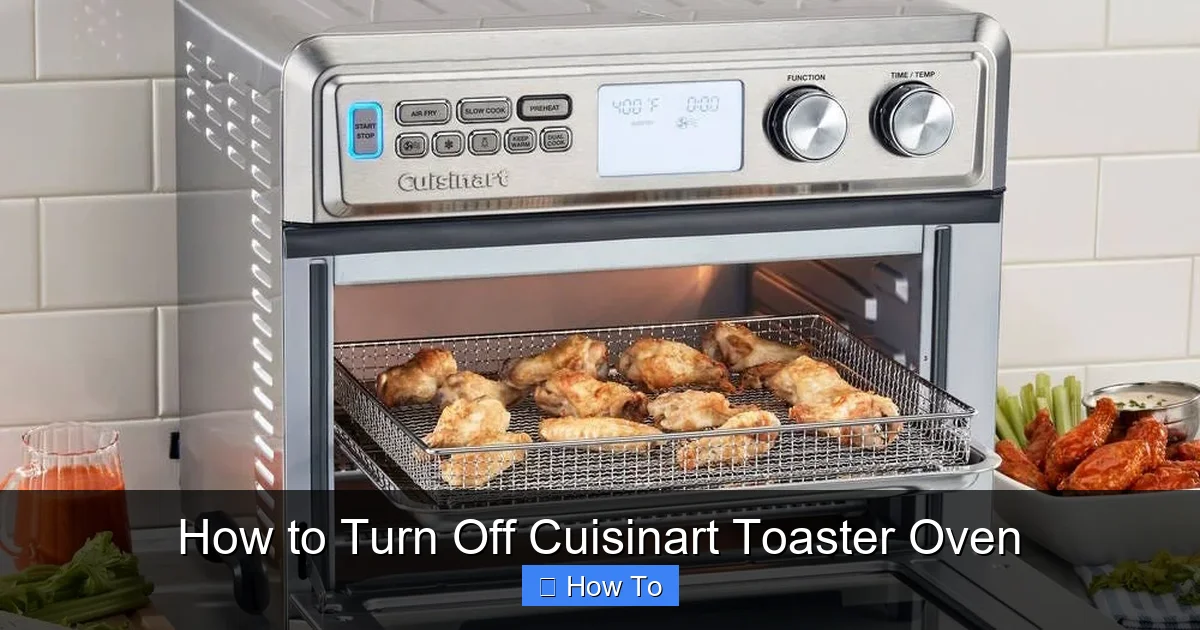
Before you can master how to turn off Cuisinart toaster oven, it helps to familiarize yourself with the typical layout. Most Cuisinart models share a few common elements:
- Power button: Often labeled with a simple circle‑with‑a‑line icon or the word “Power.”
- Function dial or touchpad: Selects bake, broil, toast, air fry, etc.
- Timer knob or digital display: Sets cooking duration; turning it to zero stops heating.
- Temperature dial: Adjusts heat level but does not cut power.
Some higher‑end models, like the Cuisinart Air Fryer Toaster Oven, combine these controls into a sleek touchscreen. Knowing which version you have makes the shut‑off process even clearer.
For a quick reference on adjusting the clock—useful if you ever need to reset the timer—see our guide on how to change clock on Cuisinart toaster oven. It walks you through the same button layout you’ll use for powering down.
Step‑by‑Step Guide to Turning Off Your Cuisinart Toaster Oven
Now let’s get into the actual steps. Follow these instructions in order; most users will find the oven off after the first or second step.
1. Locate the Power Control
Scan the front panel for a button that looks like a circle with a line through it or simply says “Power.” On touchscreen models, the power icon may appear in the corner of the display.
2. Press or Turn the Power Button
If it’s a physical button, press it firmly once. You should hear a soft click and see the display go dark. On a dial, turn it to the “Off” position (often marked with an “O” or a zero). On a touchscreen, tap the power icon.
3. Verify the Oven Is Off
Look for any indicator lights. If the interior light is off and the display shows nothing, the unit is powered down. You can also place your hand near the heating elements—if they’re cool, the oven is truly off.
4. Use the Timer as a Backup
If pressing the power button doesn’t seem to work, turn the timer knob to “0” or set the digital timer to zero minutes. This cuts power to the heating elements even if the power button is stuck.
5. Unplug the Unit (Last Resort)
When neither the power button nor the timer responds, unplug the toaster oven from the wall outlet. Wait a few seconds, then plug it back in to see if the controls reset. This method is safe and guarantees the oven is off.
By following these steps, you’ll confidently know how to turn off Cuisinart toaster oven every time you finish cooking.
Common Reasons Your Toaster Oven Won’t Turn Off
Sometimes the oven appears to stay on even after you’ve tried the usual methods. Understanding the root cause helps you fix it quickly.
Sticky or Dirty Controls
Food splatters, grease, or crumbs can accumulate under buttons or around dials, making them stick in the “on” position. A quick clean often restores normal function.
Timer Malfunction
If the timer mechanism fails, it may not send the off‑signal to the power circuit. You might notice the display stuck on a certain number or the oven continuing to heat after the set time elapses.
Faulty Power Switch
Over years of use, the internal power switch can wear out. This is more common in heavily used units and may require professional repair or replacement.
Electronic Glitch
Touchscreen models occasionally experience a software hiccup. A simple power cycle (unplugging for 30 seconds) usually clears the glitch.
If you suspect any of these issues, refer to our cleaning guide for tips: how to clean a Cuisinart toaster oven. Keeping the interior and control panel free of debris prevents many of these problems.
Maintenance Tips to Ensure Proper Shutoff
Regular upkeep not only extends the life of your toaster oven but also makes the how to turn off Cuisinart toaster oven process foolproof.
Visual guide about How to Turn Off Cuisinart Toaster Oven
Image source: miro.medium.com
Clean After Every Use
Wipe the interior with a damp cloth once it’s cool. Remove the crumb tray and shake out loose debris. For stubborn spots, use a mild dish soap solution.
Check the Buttons Monthly
Press each button to ensure it moves freely. If any feel stiff, apply a tiny drop of food‑safe lubricant around the edges (avoid getting liquid inside the electronics).
Inspect the Power Cord
Look for fraying or damage. A compromised cord can cause intermittent power issues that mimic a stuck‑on oven.
Store Properly
When not in use for extended periods, unplug the unit and cover it with a breathable cloth. This protects the controls from dust and accidental presses.
Following these simple habits will keep your Cuisinart toaster oven responding reliably every time you need to turn it off.
When to Seek Professional Help
Even with diligent care, some problems need an expert’s touch.
Persistent Power Issues
If the oven refuses to turn off after you’ve cleaned the controls, tried the timer, and unplugged it repeatedly, the internal power switch or control board may be faulty.
Error Codes on Digital Models
Some Cuisinart air‑fryer toaster ovens display error codes (e.g., “E1” or “E2”). Consult the user manual for meaning; if the code points to a power‑related fault, contact Cuisinart support.
Safety Concerns
Smelling burning plastic, seeing sparks, or hearing unusual noises when the oven is on indicates a serious hazard. Stop using it immediately and seek professional repair or consider replacement.
Before calling a technician, you might want to double‑check the preheat function—sometimes a misunderstanding about how the oven heats can look like it won’t turn off. Our preheat guide explains the process: how to preheat Cuisinart air fryer toaster oven.
Conclusion
Knowing how to turn off Cuisinart toaster oven is a small but essential skill that keeps your kitchen safe and your appliance running smoothly. Start by locating the power button or dial, press or turn it, and verify the oven is off. If that fails, use the timer or unplug the unit as a backup.
Regular cleaning, monthly button checks, and proper storage prevent most issues. When problems persist, don’t hesitate to consult a professional or reach out to Cuisinart customer service.
With these tips in hand, you’ll never be left guessing whether your toaster oven is still on. Enjoy your cooking, and shut off with confidence!
Frequently Asked Questions
Is there a specific power button on all Cuisinart toaster ovens?
Most models feature a clearly marked power button or dial, but the exact location can vary. Look for a circle‑with‑a‑line icon or the word “Power” on the front panel. If you have a touchscreen model, the power icon is usually in a corner of the display.
Can I turn off the oven by just setting the timer to zero?
Yes. Setting the timer to zero cuts power to the heating elements, effectively turning off the oven even if the power button is stuck. This works as a reliable backup method.
What should I do if the interior light stays on after I press power?
The interior light is sometimes on a separate circuit. Try unplugging the unit for a few seconds, then plugging it back in. If the light remains on, the light switch may be faulty and might need service.
Does cleaning the control panel really help with turning off the oven?
Absolutely. Grease or food particles can cause buttons to stick in the “on” position. Regular cleaning keeps the controls moving freely and ensures the power button works as intended.
Is it safe to leave the toaster oven plugged in when not in use?
It is generally safe, but unplugging eliminates any risk of accidental activation or electrical faults. For added safety and energy savings, unplug the appliance when you won’t be using it for an extended period.
Will using the air‑fryer function affect how I turn off the oven?
No. The air‑fryer function is just another cooking mode; the power‑off process remains the same regardless of whether you’re baking, toasting, or air frying.