How to Turn on Kitchenaid Toaster Oven
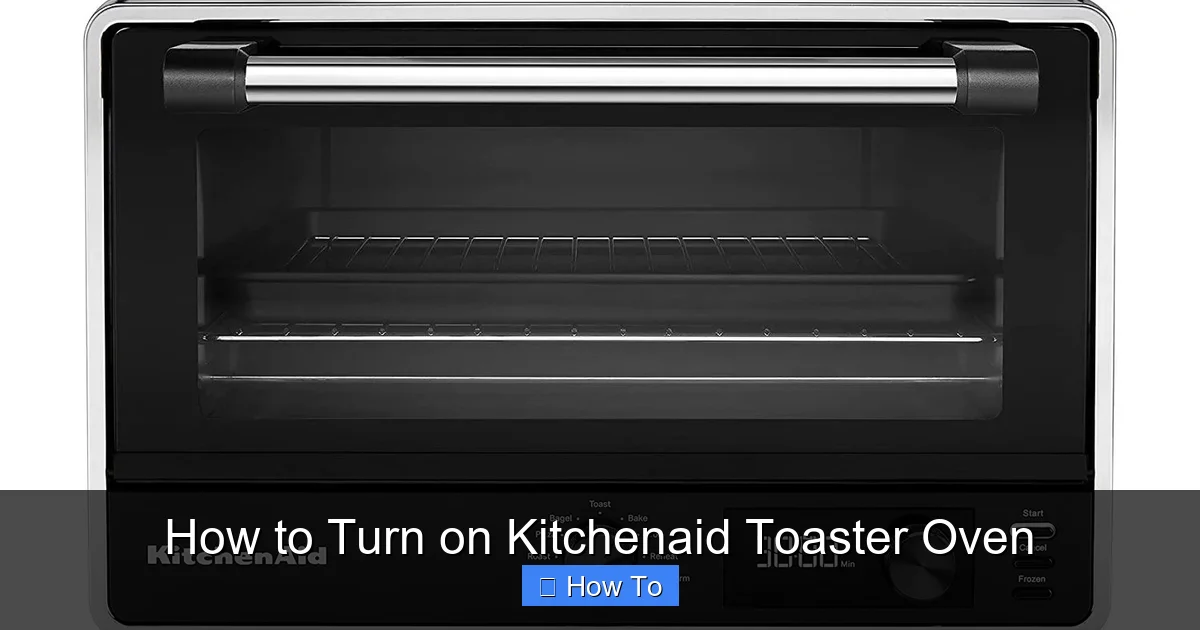
To turn on your KitchenAid toaster oven, simply plug the unit into a grounded outlet and press the Power button to activate the digital display. Once powered, select your desired cooking mode and temperature using the control dial or touchscreen to begin your meal. Following these basic steps ensures a safe and efficient start to your cooking session every time.
How to Turn on Kitchenaid Toaster Oven
You bought a shiny new oven. It sits on your counter. You want to make breakfast. But you do not know where to start.
Many people feel this way. New machines have many buttons. You press one thing. Then another thing happens. It can be confusing. You just want toast.
Do not worry. We are here to help. This post shows you how to Turn On Kitchenaid Toaster Oven. We will take it slow. You will feel ready soon.
Key Takeaways
- Point 1: Locate the power button on the control panel for instant activation.
- Point 2: Press and hold the button for two seconds to start heating.
- Point 3: Select desired preset or set temperature and time manually.
- Point 4: Ensure door is closed securely before cooking begins.
- Point 5: Use the dial or digital interface to adjust settings as needed.
- Point 6: Listen for the beep indicating the oven is ready.
📑 Table of Contents
Where to Find the Controls
Every model is a little different. But they share a common layout. You need to find the control panel first. It is usually on the top right. Look for the knobs there.
Look at the Top Panel
Most models have a panel. It sits right above the door. You see knobs on it. Some have touch screens instead. Find the power icon. It looks like a circle. A line goes through it. That is the power button.
Press that button once. You might hear a beep. The screen should light up. Now your Kitchenaid Toaster Oven is awake. It is ready for your command.
Check the Side Dials
Some older models use dials. These are on the side. You turn them like a clock. One dial sets the heat. Another dial sets the time. There is a switch for the mode.
Turn the switch to toast. Turn it to bake for cakes. Turn it to broil for meat. Each setting changes the lights. Your Kitchenaid Toaster Oven shows you what is on.
The Step by Step Plan
Now you know where the buttons are. Let us power it up. Follow these simple steps. They work for most models.
Plug the Cord In
First, find a wall outlet. Plug the cord in. You hear a soft click. Make sure it is tight. A loose plug causes problems. If it does not work, try again.
Some people forget this step. They think the oven is broken. It is just unplugged. Check the back of your Kitchenaid Toaster Oven. Ensure the cord is secure.
Set the Temperature
Next, set the heat. Turn the knob to the right number. 350 degrees is a good start. 400 degrees is hot. 250 degrees is warm.
Do not guess the number. Look at the dial. Your Kitchenaid Toaster Oven shows the heat. Pick the number you need. This step matters for cooking.
Press Start
Finally, press Start. This is the big button. It might say “Start” or have a triangle. Push it down. The light will glow bright.
You will hear a hum. The heating coils will glow red. Your food is cooking now. This is how you Turn On Kitchenaid Toaster Oven. It is simple once you know the steps.
Understanding the Display and Settings
The screen tells you a lot. It shows the time. It shows the heat. It shows the mode. Read it carefully.
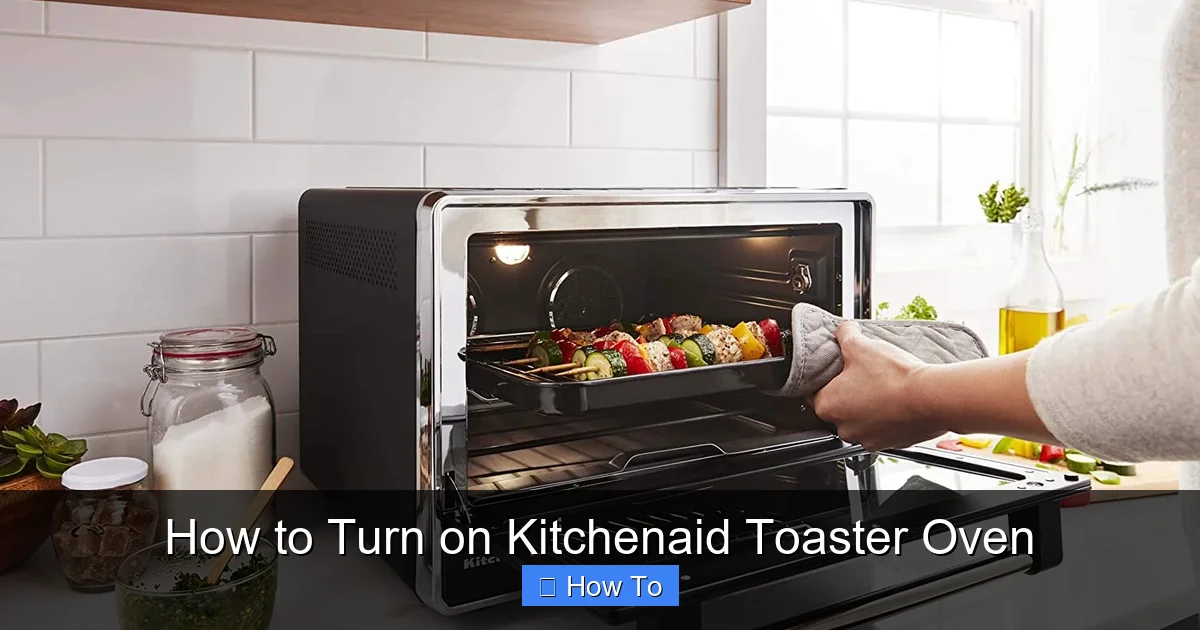
Visual guide about How to Turn on Kitchenaid Toaster Oven
Image source: yourkitchentime.com
What the Numbers Mean
The big numbers are the heat. They count up from zero. The small numbers are the time. They count down to zero. Watch them change.
If the time blinks, it is not set. Set the clock first. This is like a microwave. Your Kitchenaid Toaster Oven needs the time. Otherwise the timer will be wrong.
Choosing the Right Mode
You have many modes to pick. Toast is for bread. Bake is for cakes. Broil is for meat. Air fry is for chips.
Pick the mode for your food. The oven adjusts the heat. It knows what to do. Your Kitchenaid Toaster Oven is smart. Let it do the work.
| Mode | Best For | Typical Heat |
|---|---|---|
| Toast | Bread and bagels | 350°F |
| Bake | Cakes and cookies | 350°F |
| Broil | Steak and fish | 450°F |
| Air Fry | Fries and wings | 400°F |
This table helps you choose. It is a quick cheat sheet. Save it on your phone. You will not need to guess.
Common Problems When Turning It On
Things do not always go right. You might face a glitch. Do not panic. Most issues are easy to fix.

Visual guide about How to Turn on Kitchenaid Toaster Oven
Image source: i.pinimg.com
The Light Is On But Nothing Happens
You pressed Start. But the coils do not glow. This means the door is open. The oven will not heat up. Close the door tight.
Check the latch. It might be stuck. Push it down with your hand. Then press Start again. Your Kitchenaid Toaster Oven should work now.
The Display Shows an Error
Sometimes a code appears. It might say “F1” or “Err”. This means a sensor is off. Turn the oven off. Wait ten minutes. Turn it back on.
This resets the computer. Many errors clear this way. If the code stays, check the manual. Your Kitchenaid Toaster Oven has a guide. It explains every code.
Tips for Getting the Best Results
Powering on is only half the job. You want good food too. Here are some pro tips. They make cooking easier.
Try the Air Fry Mode
This oven can crisp food. Use the air fry setting. It blows hot air fast. The food gets crunchy. It is great for fries.
If you want to learn more, see how to use the air fryer on your Kitchenaid oven. It uses less oil. The food tastes better.
Keep It Clean
Dirt causes smoke. Food bits burn on the floor. This makes bad smells. Clean the inside often. Use a soft cloth.
Do not use steel wool. It scratches the surface. Learn how to clean toaster oven trays properly. Clean trays heat better. Your Kitchenaid Toaster Oven will last longer.
Try Baking Snacks
You can bake in this oven. Make cookies for a party. Make brownies for dinner. It cooks small batches well.
Read our guide on how to bake cookies using oven toaster. You get fresh treats. They taste like home. Your Kitchenaid Toaster Oven is a baker too.
Conclusion
You can do this. It is not magic. It is just a few steps. Plug it in. Set the heat. Press Start.
Your Kitchenaid Toaster Oven is a great tool. It saves counter space. It cooks fast. You do not need a big oven.
Start with toast today. Then try baking. You will love the results. Enjoy your new kitchen friend.
Frequently Asked Questions
How do I turn on my KitchenAid toaster oven?
Plug the toaster oven into a grounded outlet, then press the power button located on the front control panel. The display will light up, indicating the unit is ready for use.
What steps should I follow to power on a KitchenAid toaster oven?
First, ensure the oven is clean and the rack is positioned correctly. Next, turn the function dial to your desired setting (e.g., Bake, Toast, Broil) and set the temperature or time as needed. Finally, press the start button to begin the cooking cycle.
Why won’t my KitchenAid toaster oven turn on after plugging it in?
Check that the outlet is supplying power by testing it with another device. Make sure the oven’s door is fully closed, as many models have a safety interlock that prevents operation if the door is ajar. If the issue persists, reset the unit by unplugging it for a minute and then plugging it back in.
Is there a specific button to press to turn on the KitchenAid toaster oven?
Yes, most KitchenAid toaster ovens feature a dedicated power or start button marked with a “▶” symbol or the word “Start.” Pressing this button after selecting your function and settings activates the heating elements.
Can I use the KitchenAid toaster oven’s timer to turn it on automatically?
Many models include a delay start or timer function that lets you set a future start time. After programming the desired delay, the oven will remain off until the set time, then power on and begin cooking automatically.
Do I need to preheat the KitchenAid toaster oven before turning it on for baking?
Preheating is recommended for baking recipes that require a specific temperature to ensure even results. Select the bake function, set the temperature, and press start; the oven will indicate when it has reached the target temperature before you place your food inside.