How to Use Kitchenaid Toaster Oven

Use this guide to master your Kitchenaid Toaster Oven. From unboxing and preheating to cooking, cleaning, and troubleshooting, you’ll find simple steps and handy tips. Keep your appliance in top shape with easy maintenance routines.
How to Use Kitchenaid Toaster Oven
Key Takeaways
- Understand the controls and features of your Kitchenaid Toaster Oven. Learn where each button works.
- Set up and preheat correctly for consistent results. Follow simple placement and timing steps.
- Use convection, bake, toast, and air‑fry modes for versatile cooking. Choose the right setting for each dish.
- Try quick weeknight meals and sweet treats with easy recipes. Follow step‑by‑step instructions.
- Clean daily and deep clean regularly to keep the oven bright. Keep filters and trays free of debris.
- Follow safety practices and troubleshoot common issues quickly. Ensure proper door latch and power.
📑 Table of Contents
Understanding Your Kitchenaid Toaster Oven
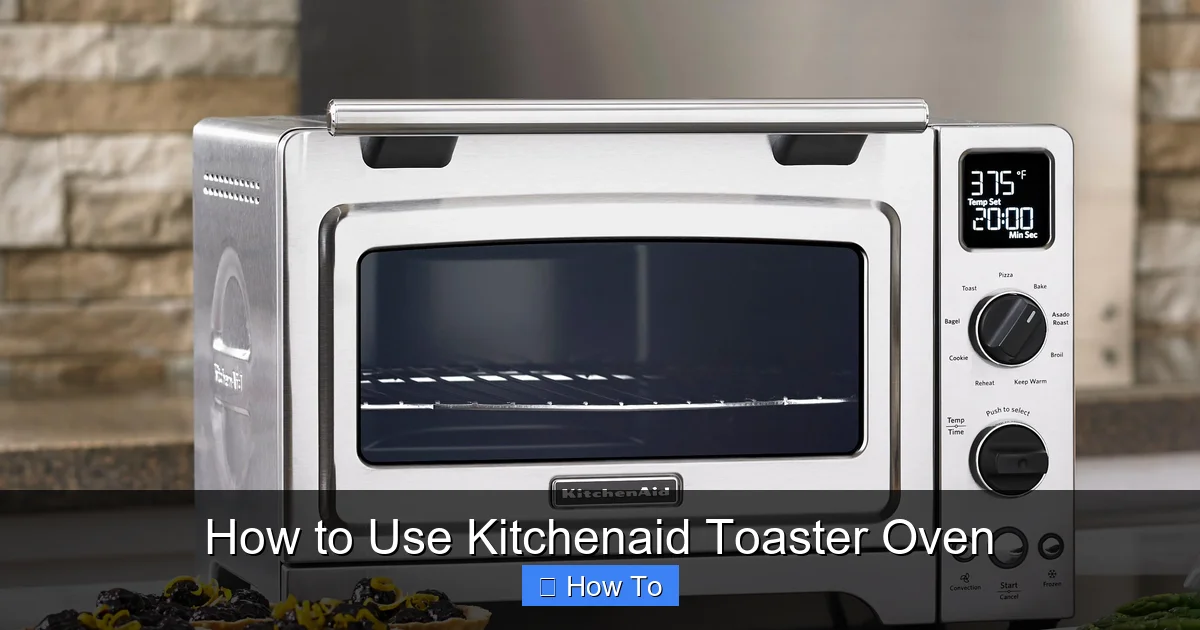
Your Kitchenaid Toaster Oven is a compact powerhouse. It combines convection baking, broiling, toasting, and air‑fry functions. The front panel includes a digital display, preset buttons, and a rotary knob. Inside, you’ll find two racks, a crumb tray, and a removable grill. Knowing each part helps you use the appliance safely and efficiently.
Features and Controls
The control panel is simple. Press the Power button to turn the unit on. Use the Mode dial to select Bake, Convection Bake, Toast, Broil, Air‑Fry, or Keep Warm. The Temperature dial sets heat from 90°F to 500°F. The Timer allows you to set cooking duration up to 99 minutes. A Start/Stop button begins the cycle. The door latch clicks when closed, ensuring safety.
The interior light turns on when the door opens. A buzzer sounds when the timer ends. A removable crumb tray sits below the cooking chamber. The lower rack is adjustable in three positions. A heat-resistant glass door protects you from burns.
Getting Started: Setup and Preheating
Unboxing and Placement
First, place the Kitchenaid Toaster Oven on a stable countertop. Leave at least 10 cm of clearance on all sides. Ensure the outlet is a dedicated 120V circuit. Plug the cord into a grounded socket. Check that the voltage matches the label.

Visual guide about How to Use Kitchenaid Toaster Oven
Image source: kitchenaid-h.assetsadobe.com
Open the box and remove all parts. Locate the racks, crumb tray, and baking pan. Remove any protective films from the interior glass. Read the safety instructions before first use.
Preheating Techniques
Preheating is key for even cooking. Set the mode and temperature before you load food. For most recipes, preheat for 5‑10 minutes. Use the Preheat button if your model has one. If you skip preheating, food may cook unevenly.
For more details on advanced preheating techniques, see How to Use Kitchenaid Air Fryer Oven. This guide shows how to calibrate temperature and use convection for faster heat up.
Cooking Basics: Convection, Bake, Toast, and Air‑Fry
Convection Cooking
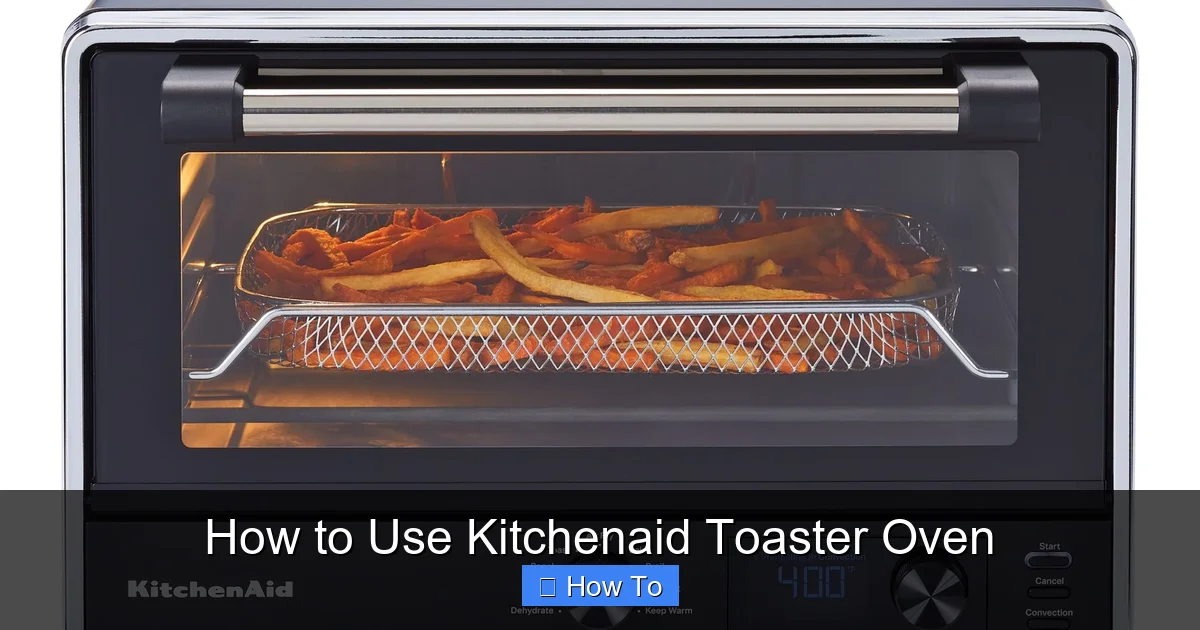
Convection uses a fan to circulate hot air. It cooks faster and more evenly than conventional bake. Set the Mode to Convection Bake. Choose a temperature 25°F lower than a regular bake. Reduce cooking time by about 20%.
Visual guide about How to Use Kitchenaid Toaster Oven
Image source: media-www.canadiantire.ca
Place food on the middle rack. Use parchment paper for easy cleanup. Rotate the pan halfway through cooking for best results.
Baking and Roasting
Use the Bake mode for cakes, casseroles, and roasts. Preheat to the temperature listed in the recipe. Load the oven with space for air flow. Use the upper and lower racks as needed.
For roasting vegetables, toss with oil and seasonings. Spread in a single layer on a baking sheet. Roast at 425°F for 20‑30 minutes until golden.
Toasting and Browning
Toasting is perfect for bread, bagels, and English muffins. Set the Mode to Toast. Choose a temperature between 350°F and 450°F. Place items on the lower rack. The radiant heat from the top element creates a crisp crust.
For faster browning, use the Broil mode. Select High or Low broil. Position food on the upper rack, close to the heating element. Watch closely to avoid burning.
Air‑Fry Mode
Air‑Fry gives you fried‑like results with little oil. Select Air‑Fry from the Mode dial. Set temperature between 350°F and 400°F. Load the basket with a single layer of food. The fan circulates hot air, creating a crispy exterior.
To learn tricks for perfect air‑fried meals, check out How to Use Air Fryer In Kitchenaid Oven. This article covers seasoning, oil usage, and cooking times for various proteins and veggies.
Recipes and Techniques
Quick Weeknight Dinners
One‑pot pasta: Toss cooked spaghetti with sauce, diced tomatoes, and mozzarella. Place in a baking dish. Sprinkle with Parmesan. Bake at 375°F for 12 minutes. The heat melts cheese and warms the dish.
Visual guide about How to Use Kitchenaid Toaster Oven
Image source: images-na.ssl-images-amazon.com
Sheet‑pan chicken: Season chicken thighs with paprika, salt, and pepper. Arrange on a sheet pan. Roast at 425°F for 30 minutes. Add potatoes and broccoli after 15 minutes. Serve hot.
These recipes use the Kitchenaid Toaster Oven’s speed and convenience. They finish in under an hour, perfect for busy evenings.
Sweet Treats and Snacks
Chocolate chip cookies: Mix flour, butter, sugar, and eggs. Drop spoonfuls on a parchment sheet. Bake at 350°F for 10‑12 minutes. The convection setting ensures even browning.
Banana bread: Combine mashed bananas, eggs, oil, and vanilla. Mix in flour, baking soda, and cinnamon. Pour into a loaf pan. Bake at 350°F for 45 minutes. The oven’s steady heat gives a soft crumb.
Popcorn: Spread corn kernels in a single layer on the baking pan. Sprinkle a little oil. Bake at 375°F for 8‑10 minutes. Stir occasionally. Enjoy fresh, crispy popcorn.
Advanced Tips
Use the Keep Warm function for serving. Set temperature to 140°F. This keeps food at a safe serving temperature without overcooking.
Rotate racks for different dishes. The upper rack works well for baking, the middle for roasting, and the lower for toasting.
Preheat the oven fully before baking delicate pastries. A hot oven creates a good rise and crisp crust.
Maintenance and Cleaning
Daily Care
After each use, let the Kitchenaid Toaster Oven cool. Remove the cooking racks and crumb tray. Wipe the interior with a soft cloth and warm water. Avoid harsh chemicals that can damage the finish.
Clean the door glass with a glass cleaner. Dry the exterior with a damp cloth. Remove crumbs from the crumb tray and rinse under water.
Deep Cleaning
Every month, perform a deeper clean. Unplug the unit. Remove all accessories. Mix a solution of mild dish soap and water. Use a sponge to clean the interior, focusing on the heating element area.
For a deep clean guide, visit How to Use Airfryer Toaster Oven. This resource covers descaling, filter cleaning, and removing stubborn residue safely.
Rinse racks and trays thoroughly. Dry them completely before replacing. Reassemble and plug the oven back in.
Safety and Troubleshooting
Safe Operating Practices
Never operate the oven with the door open. The heating elements turn off automatically when the door opens. Use oven mitts when handling hot racks.
Keep children away from the cooking area. Use the child lock if your model has one. Unplug the unit when not in use for long periods.
Common Issues and Solutions
If the oven does not start, check the power cord and outlet. Ensure the door is fully closed. Reset the circuit breaker if needed.
Uneven cooking may result from a blocked fan. Remove any debris from the fan vents. Clean the fan cover with a brush.
Strange noises can indicate a loose rack. Tighten the rack pins. If the noise continues, contact Kitchenaid support.
Error codes appear on the digital display. Consult the manual for the specific code. Usually, resetting the unit by unplugging for one minute clears the code.
By following these steps, you’ll enjoy reliable performance from your Kitchenaid Toaster Oven for years to come.
Frequently Asked Questions
How do I preheat my Kitchenaid Toaster Oven?
Set the desired mode and temperature, then press the Preheat button if available. Allow 5‑10 minutes for the oven to reach the set temperature before loading food.
What types of cookware are safe to use inside the Kitchenaid Toaster Oven?
Use metal, ceramic, glass, or porcelain dishes. Avoid plastic unless labeled oven‑safe. Never use cookware with wooden handles that can melt.
Can I bake a cake in the Kitchenaid Toaster Oven?
Yes. Use the Bake mode at the temperature called for in the recipe. Place the cake on the middle rack for even heat distribution.
How often should I clean the Kitchenaid Toaster Oven?
Clean the interior after each use. Perform a deeper clean monthly to remove built‑up grease and crumbs.
What should I do if the oven stops heating?
Check that the door is fully closed, reset the circuit breaker, and ensure the power cord is plugged in. If the problem persists, contact Kitchenaid customer service.
Is it safe to use the Air‑Fry mode without oil?
Yes, the Air‑Fry mode works with minimal oil. A light mist of oil helps achieve the best texture, but many recipes succeed with none.