How to Turn Off a Breville Toaster Oven
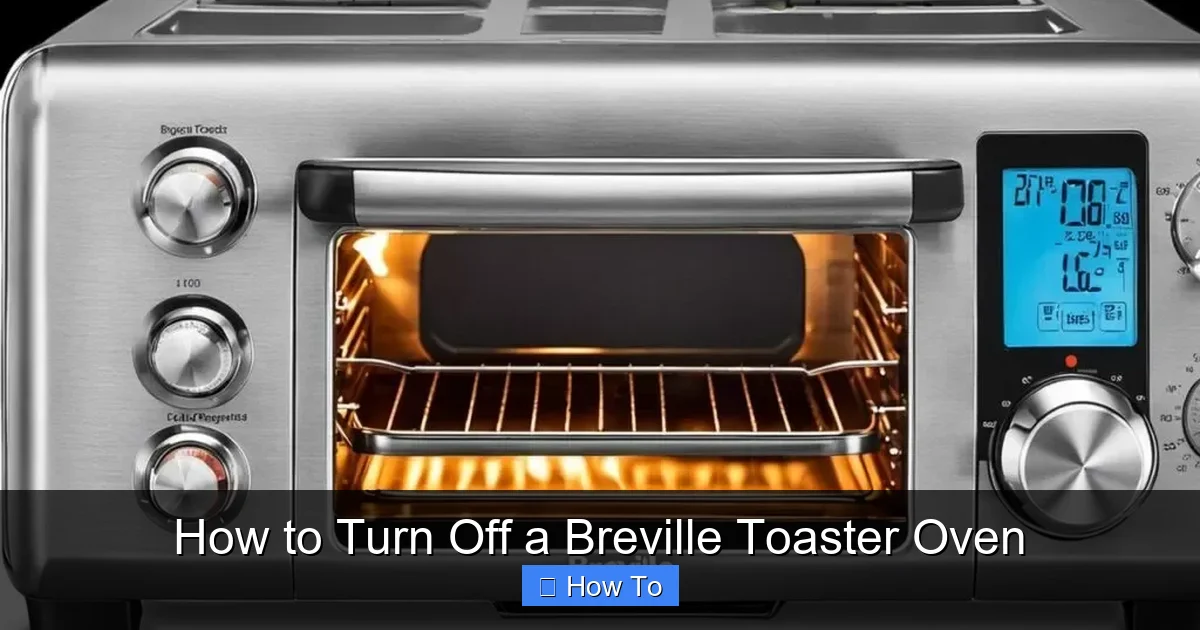
Turning off a Breville toaster oven is simple: press the power button, wait for the display to go dark, and unplug if needed. Knowing how to turn off a Breville toaster oven prevents accidental overheating and saves energy. Follow our guide to master the process safely.
How to Turn Off a Breville Toaster Oven
If you own a Breville toaster oven, you probably appreciate its versatility for baking, broiling, toasting, and even air frying. However, knowing how to turn off a Breville toaster oven is just as important as knowing how to use it. A proper shutdown protects the appliance, saves energy, and prevents accidental burns or fires. In this guide, we’ll walk you through every step, share safety tips, and troubleshoot common issues so you can confidently power down your unit every time.
Many users assume that simply opening the door stops the oven, but Breville models often keep the heating elements active until you press the power button or cancel function. Understanding the control panel layout and the signals it gives you will make the process second nature. Whether you’re finishing a batch of cookies or just reheating a slice of pizza, mastering how to turn off a Breville toaster oven ensures your kitchen stays safe and your appliance lasts longer.
Throughout this article, we’ll reference related topics like air frying and cleaning to help you get the most out of your Breville. You’ll also see how the shutdown process compares to other popular brands, giving you a broader perspective. Let’s dive in and learn the exact steps, best practices, and troubleshooting tricks for turning off your Breville toaster oven.
Key Takeaways
- Locate the power button: It’s usually on the front panel and clearly labeled.
- Use the cancel function: Pressing cancel stops cooking and begins shutdown.
- Unplug only when necessary: For extended storage or cleaning, disconnect the unit.
- Let it cool: Allow a few minutes for residual heat to dissipate before touching.
- Check for error signs: If the display stays lit, consult the manual or contact support.
- Keep controls clean: Wipe the buttons regularly to ensure reliable response.
📑 Table of Contents
- Understanding Your Breville Toaster Oven Controls
- Step-by-Step Process to Turn Off the Toaster Oven
- Safety Tips When Turning Off Your Breville Toaster Oven
- Troubleshooting Common Issues When Turning Off
- Maintenance Tips to Ensure Reliable Power-Off Function
- Comparing Breville Toaster Oven Shutdown with Other Brands
- Conclusion
Understanding Your Breville Toaster Oven Controls
Before you can execute how to turn off a Breville toaster oven, you need to familiarize yourself with the control panel. Most Breville models feature a digital display, a power button, a cancel button, and various function dials (such as toast, bake, broil, and air fry). The power button is typically the largest and is often marked with a simple circle icon or the word “Power”.
Locating the Power Button
The power button is usually positioned on the lower left or right side of the front panel, depending on the model. On the Breville Smart Oven Air, for example, it’s a backlit button just below the display. When the oven is on, this button glows; when off, it’s dim or unlit. Knowing where it is makes executing how to turn off a Breville toaster oven instantaneous.
Indicator Lights and Display
Breville toaster ovens use indicator lights to communicate status. When the oven is active, you’ll see icons for the selected function (like a fan for air fry or a wave for bake) and a countdown timer. Once you initiate shutdown, the display will either go blank or show a standby symbol. If the lights remain illuminated after you press the power button, it may indicate that the cancel function hasn’t been engaged or that a fault exists.
Step-by-Step Process to Turn Off the Toaster Oven
Now that you know where the controls are, let’s walk through the actual steps for how to turn off a Breville toaster oven. The process is straightforward, but following each step ensures you don’t leave the oven in a partially active state.
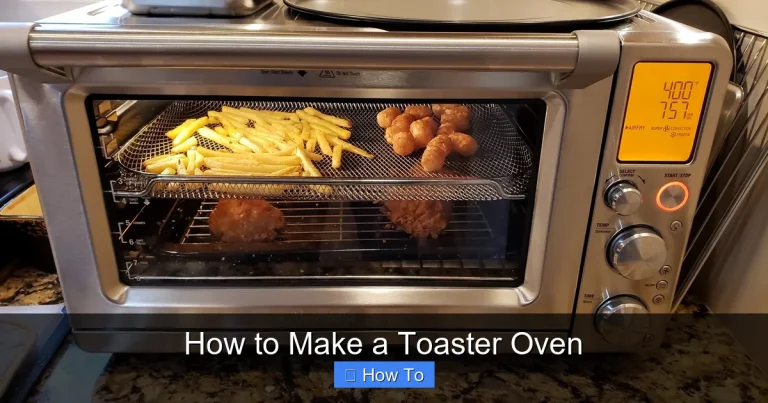
Visual guide about How to Turn Off a Breville Toaster Oven
Image source: dailykitchenlife.com
Normal Shutdown via Power Button
- Make sure the cooking cycle has completed or press Cancel to stop any ongoing function.
- Locate the power button and press it firmly once.
- Watch the display: it should fade to black or show a standby icon within a second or two.
- If the button feels loose or unresponsive, try pressing it again after a brief pause.
This method is the primary way to execute how to turn off a Breville toaster oven for everyday use. It safely cuts power to the heating elements while keeping the electronics in a low‑power standby mode.
Using the Cancel Function
Sometimes you may want to stop cooking immediately without waiting for the timer to finish. In that case:
- Press the Cancel button (often marked with an “X” or a stop symbol).
- The oven will halt the current function and begin the shutdown sequence.
- After canceling, press the power button if the display does not go dark automatically.
Using cancel first can be especially helpful when you’re air frying and notice the food is browning too fast. It’s an extra layer of control that complements how to turn off a Breville toaster oven.
When to Unplug the Unit
Unplugging is not required after every use, but there are situations where it’s wise:
- When you plan to clean the interior or removable parts.
- If you’ll be away from home for an extended period (e.g., vacation).
- When the power button or display appears stuck and you need a hard reset.
To unplug, firmly grasp the plug (not the cord) and pull it straight out of the outlet. Remember that unplugging resets the clock and any saved preferences, so you may need to re‑enter them after plugging back in.
Safety Tips When Turning Off Your Breville Toaster Oven
Safety should always be top of mind when dealing with any heating appliance. Below are essential tips to keep in mind while learning how to turn off a Breville toaster oven.
Avoiding Burns and Electrical Hazards
The interior surfaces, racks, and tray can remain hot for several minutes after shutdown. Always use oven mitts when touching these parts. Additionally, never touch the power button with wet hands, as moisture can cause a short circuit.
Letting the Appliance Cool Down
Even after you’ve executed how to turn off a Breville toaster oven, the internal temperature may stay above 150 °F for 5‑10 minutes. Allow the unit to cool before wiping down the interior or storing accessories. This prevents warping of plastic components and reduces the risk of accidental burns.
Keeping Children and Pets Safe
Place the toaster oven on a stable, heat‑resistant surface away from the edge of the counter. Store the cord safely so it isn’t a tripping hazard. If you have curious kids or pets, consider using a simple appliance lock or keeping the oven in a cabinet when not in use.
Troubleshooting Common Issues When Turning Off
Occasionally, you might encounter problems while trying to perform how to turn off a Breville toaster oven. Below are the most frequent issues and how to resolve them.
Power Button Not Responding
If pressing the power button does nothing:
- Check that the oven is firmly plugged into a working outlet.
- Try a different outlet to rule out a tripped circuit breaker.
- Inspect the power cord for visible damage; if frayed, discontinue use and contact Breville support.
Sometimes a simple reset—unplugging for 30 seconds and plugging back in—restores button functionality.
Display Stuck On
When the display remains lit after you’ve pressed power:
- Press Cancel twice, then press the power button again.
- If the display still shows numbers or icons, hold the power button for 5‑10 seconds to force a shutdown.
- Consult the user manual for any error codes that may appear.
A stuck display often indicates a minor glitch in the control board, which a power cycle usually fixes.
Unusual Sounds After Shutdown
Hearing a faint fan whir or a click after you’ve turned off the oven is normal; it’s the cooling fan slowing down. However, loud buzzing, rattling, or repeated clicking may signal a loose component or a failing relay. In such cases:
- Unplug the unit immediately.
- Inspect the interior for loose screws or debris.
- If the noise persists, contact Breville customer service for further diagnosis.
Maintenance Tips to Ensure Reliable Power-Off Function
Regular upkeep keeps the power button and electronics responsive, making how to turn off a Breville toaster oven effortless every time. Here’s what to do:
Regular Cleaning of Controls
Food splatters and grease can accumulate around the buttons, causing them to stick. Weekly, wipe the control panel with a soft, slightly damp cloth. Avoid abrasive cleaners or spraying liquid directly onto the buttons. For deeper cleaning, refer to our guide on how to clean a Breville air fryer toaster oven, which includes safe methods for the control area.
Checking the Power Cord
Every few months, examine the cord for kinks, cuts, or exposed wiring. Ensure the plug prongs are straight and not bent. A damaged cord can interfere with the power‑off sequence and pose a safety risk.
Firmware Updates (if applicable)
Some newer Breville Smart Ovens receive occasional firmware updates that improve button responsiveness and energy efficiency. Check the Breville website or the Smart Oven app for updates and follow the installation instructions. Keeping the firmware current helps ensure that how to turn off a Breville toaster oven remains smooth.
Comparing Breville Toaster Oven Shutdown with Other Brands
Understanding how Breville stacks up against competitors can give you confidence in your appliance’s design. While the core concept—press power, wait for display to go dark—is similar across brands, there are subtle differences.
How to Turn Off a Ninja Toaster Oven
Ninja models often feature a dedicated “Start/Stop” button that doubles as the power control. To learn the exact steps, see our article on how to turn off a Ninja toaster oven. The process is similar, but Ninja tends to rely more on the stop button rather than a separate power key.
How to Turn Off a Gourmia Air Fryer Oven
Gourmia air fryer ovens usually combine the power and cancel functions into a single touch‑sensitive icon. After pressing it, the display will show a countdown before going blank. For a detailed walkthrough, check out our guide on how to turn off a Gourmia air fryer oven.
By comparing these methods, you’ll notice that Breville’s layout—distinct power and cancel buttons—offers clear tactile feedback, which many users find advantageous when executing how to turn off a Breville toaster oven in a busy kitchen.
Conclusion
Mastering how to turn off a Breville toaster oven is a simple yet vital skill for any home cook. By locating the power button, using the cancel function when needed, and observing safety precautions, you ensure your appliance operates efficiently and lasts for years. Regular maintenance—cleaning the controls, inspecting the cord, and staying up to date with firmware—further guarantees that the shutdown process remains reliable.
Remember, if you ever encounter an unresponsive button or a stuck display, the troubleshooting steps outlined above will help you resolve the issue quickly. And for those who also enjoy air frying or cleaning their Breville, the linked internal resources provide additional guidance to keep your oven in top shape.
With this comprehensive guide in hand, you can confidently power down your Breville toaster oven after every use, knowing you’ve taken the right steps to protect both your kitchen and your investment. Happy cooking—and happy shutting down!
Frequently Asked Questions
Is it safe to leave the Breville toaster oven plugged in after turning it off?
Yes, it is safe to leave the unit plugged in when it’s off, as the power draw in standby mode is minimal. However, if you plan to store the oven for an extended period or clean it thoroughly, unplugging eliminates any risk of electrical faults.
What should I do if the power button feels loose or wobbly?
A loose power button may indicate wear or internal damage. First, ensure the oven is unplugged, then gently check if the button is simply stuck due to debris. If the looseness persists, contact Breville support for a repair or replacement.
Does pressing the Cancel button alone turn off the oven completely?
Pressing Cancel stops the cooking function and begins the shutdown sequence, but you may still need to press the power button to fully turn off the display and cut power to the heating elements. Using both buttons ensures a complete power‑off.
How long should I wait before touching the interior after turning off the oven?
Allow at least 5‑10 minutes for the interior to cool to a safe temperature. Use oven mitts when handling racks, trays, or any interior parts to avoid burns.
Can I use the same shutdown method for the air fry function?
Absolutely. Whether you’re baking, toasting, or air frying, the shutdown process is identical: press Cancel if needed, then press the power button, and wait for the display to go dark.
Where can I find the model‑specific instructions for my Breville toaster oven?
Refer to the user manual that came with your appliance. You can also visit the Breville website, enter your model number, and download a digital copy of the manual for detailed diagrams and troubleshooting tips.